

- Home
- Location sharing
See your friends on the map
Share where you are with the people you choose and watch them move along the road in real time. Tap anyone to see their car and where they are.
Live while you drive
When you're moving, Motora sends your position every few seconds, so friends' pins glide along the road instead of jumping. Pins show speed, and the trail behind them shows where they've been.
Follow a friend and the map keeps them in view. When someone stops, you see how long they've been there.
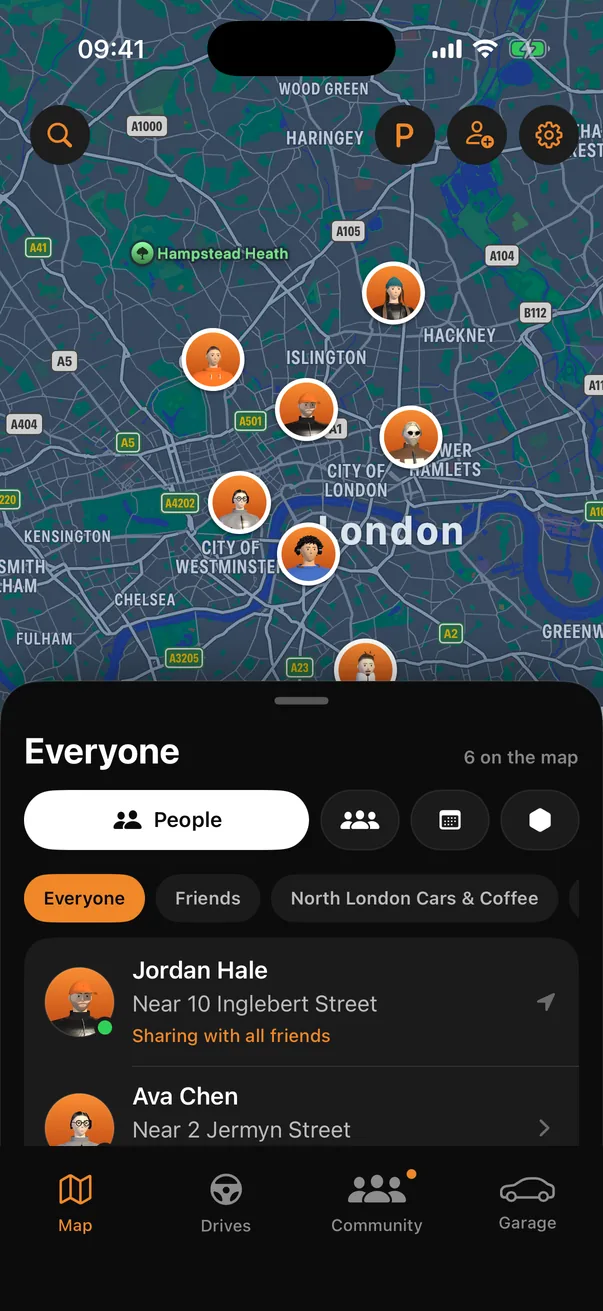
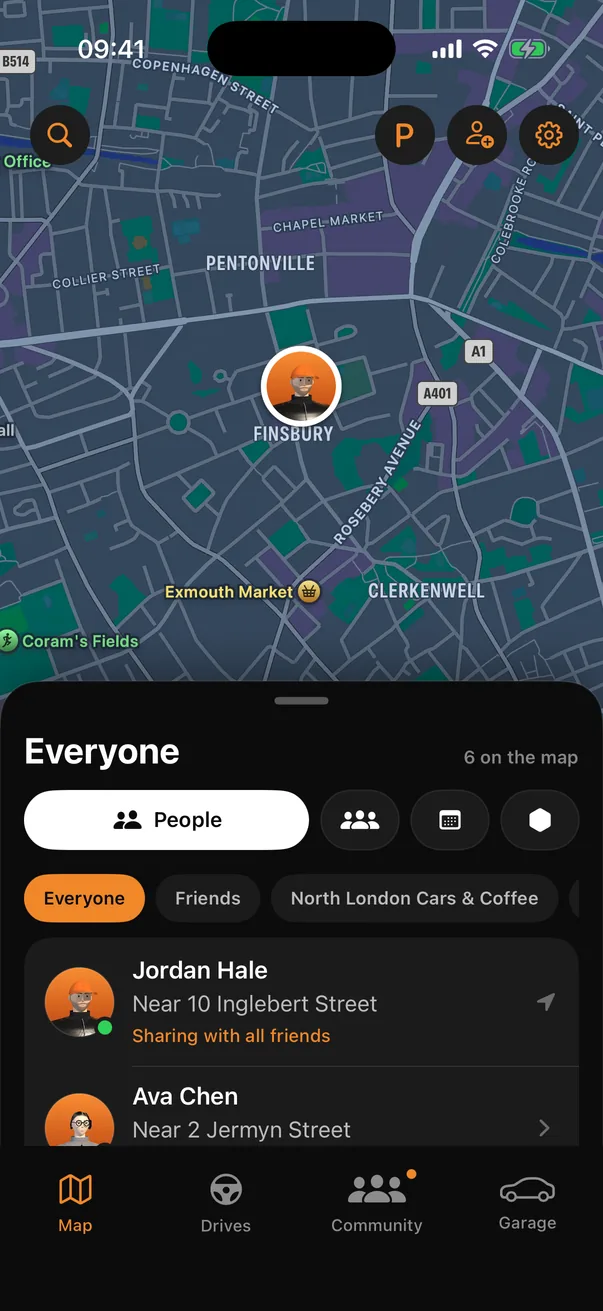
You choose who sees you
- All your friends
- Only the friends you pick
- All your friends except some
- One or more of your groups
- Your followers, if you want to
- Nobody
When you make a new friend, Motora asks before showing them where you are. Stop sharing whenever you like.
A map made for driving
Pick Apple, Google or OpenStreetMap maps, light or dark. Drives, meets and your group's territory sit on the same map, and CarPlay shows friends with directions to them.
Questions
Who can see my location?
Only the people you choose: all friends, some friends, all friends except some, your groups, your followers, or nobody. You can change it at any time.
Why does Motora ask for location “Always”?
So friends keep seeing you, and drives keep recording, while the app is closed. You can choose “While Using” instead.
Can I pause sharing?
Yes. Turn off “Share my location” in Settings and nobody sees you until you turn it back on.
More in Motora
Coming soon to iPhone
Motora is being tested now and lands on the App Store soon. Android comes after.
Get the app